+61 468 126 464

Everything You Need to Know About Shopify CLI and Theme Development in 2025
ShopifyIn 2025, Shopify continues to dominate the eCommerce landscape with its growing ecosystem of tools and integrations. For developers and merchants, one of the most impactful tools is the Shopify CLI — a command-line interface that transforms how developers manage Shopify theme development, apps, and custom storefronts.
Whether you’re exploring how to start a Shopify store, optimizing your Shopify theme, or building advanced integrations using the Shopify GraphQL API, this guide will help you understand how Shopify CLI powers the next generation of online stores.
What Is Shopify CLI?
The Shopify CLI (Command Line Interface) is a developer tool that simplifies building and managing Shopify themes and apps. It helps developers connect directly to the Shopify store dashboard, sync files instantly, and test changes locally before pushing them live.
In simpler terms, it bridges the gap between Shopify development and real-time performance. Using the CLI, developers can:
- Create new themes and apps instantly.
- Test changes using Shopify Hydrogen or Shopify Functions.
- Deploy updates without manual uploads.
- Integrate with external systems like Shopify ERP or Shopify CRM.
Why Shopify CLI Is Essential in 2025
With Shopify’s focus on scalability, headless commerce, and automation, the Shopify CLI is now more critical than ever. It supports frameworks like Hydrogen for headless stores and connects seamlessly with APIs such as Shopify Storefront API and Shopify GraphQL API.
Here’s why it’s making waves:
- Faster Theme Development – CLI automatically sets up your theme structure and enables real-time updates.
- Advanced Integrations – Build and connect with Shopify apps, ERPs, and CRMs for complete business automation.
- Secure Access – Log in using the Shopify Authenticator App to protect your store credentials.
- Hydrogen-Ready – Use React-based front-end frameworks for blazing-fast stores.
Improved Workflow – Integrate with Git, test in staging environments, and collaborate efficiently.
How Shopify CLI Works for Theme Developers
Shopify CLI streamlines theme development from start to finish. Let’s look at how developers use it:
1. Initialize a New Theme
With a single command:
“shopify theme init”
You can generate a new Shopify theme with all required files — including Liquid templates, assets, and configuration files.
2. Preview Themes Locally
Run:
“Shopify theme serve”
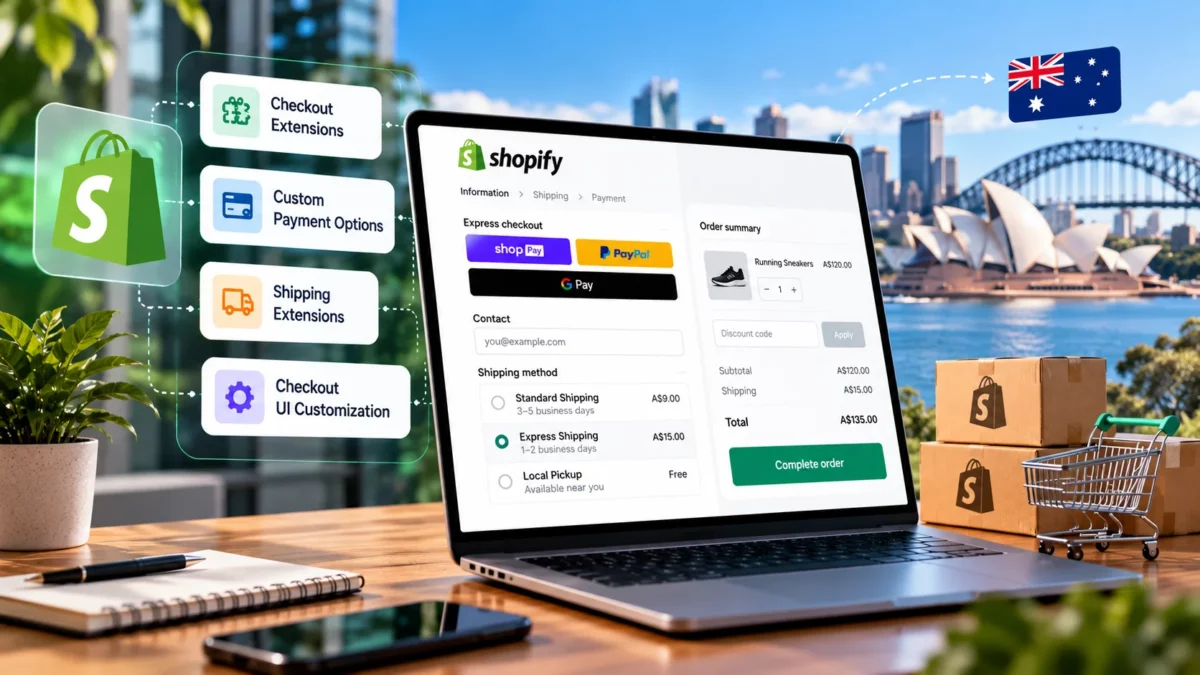
This lets you preview updates in real-time without affecting your live store. It’s perfect for testing Shopify checkout, Shopify bundles, or new Shopify metafields.
3. Push Updates Instantly
Once satisfied, use:
“Shopify theme push”
to deploy your updates directly to Shopify. No need for manual uploads or FTP.
4. Manage Multiple Stores
With Shopify CLI, developers can switch between Shopify Plus, Shopify Basic Plan, and Shopify Starter Plan environments efficiently.
Integrations That Enhance Shopify CLI
Modern eCommerce businesses rely on integrations to manage everything from inventory to marketing. Shopify CLI supports advanced integrations like:
- Shopify ERP for business process management.
- Shopify CRM for customer tracking and retention.
- Shopify POS App and Shopify POS Go for retail management.
- Shopify Audiences and Yoast SEO for Shopify for marketing and SEO optimization.
- Shopify Subscriptions and Shopify Recurring Payments for automated billing.
These integrations can be added or customized using the Shopify App Development Services offered by agencies like Elsner Technologies.
Shopify Theme Development in 2025
With Online Store 2.0 and the Shopify Hydrogen framework, Shopify theme development has evolved significantly. Developers now have more flexibility through Shopify Polaris, reusable components, and Shopify Flow automations.
Some best practices for 2025 include:
- Use Hydrogen for Headless Commerce – Combine CLI and Hydrogen for lightning-fast stores.
- Follow Shopify Polaris – Maintain visual consistency across your design.
- Leverage GraphQL APIs – Fetch data dynamically for custom storefronts.
- Optimize Shopify Checkout – Reduce Shopify transaction fees by streamlining the buying process.
- Test with Shopify Webhooks – Automate order updates and Shopify order tracking.
Shopify CLI and Enterprise Commerce
For large-scale businesses, the combination of Shopify CLI, Shopify Plus Development Company expertise, and Shopify Enterprise solutions delivers unmatched scalability.
Enterprise-level merchants use these tools for:
- Multi-store setups across Shopify Markets.
- Seamless Shopify ERP integrations.
- Custom dashboards using Shopify GraphQL API.
- Automated workflows through Shopify Flow and Shopify Functions.
This synergy enables global brands to maintain agility while handling complex product catalogs, currencies, and Shopify sales tax compliance.
Shopify vs BigCommerce: Developer Flexibility in 2025
When comparing Shopify vs BigCommerce, Shopify stands out due to its developer tools like the CLI, Hydrogen, and APIs. BigCommerce offers flexibility but lacks the same level of integration with tools like Shopify Polaris, Shopify Flow, and Shopify Hydrogen.
Similarly, when looking at Shopify vs WordPress, or Magento vs Shopify, Shopify remains the better choice for scalable, cloud-based commerce that supports Shopify integrations and migration services.
If you’re new to Shopify development, check out this helpful Shopify step-by-step tutorial that walks you through setup, customization, and store launch best practices.
For example, Magento to Shopify migrations or WooCommerce to Shopify conversions have become simpler with CLI-based development workflows.
How to Set Up Shopify CLI (Quick Start Guide)
- Install Shopify CLI:
Download and install it via your terminal or command prompt.
- Authenticate Securely:
Log in using your Shopify Authenticator App.
- Connect to Your Store:
Run the Shopify login to connect your development store.
- Create or Edit Themes:
Use Shopify theme init or Shopify theme pull.
- Deploy Your Work:
Once ready, use the Shopify theme push to make it live.
That’s all — your Shopify CLI setup is ready!
How Elsner Technologies Elevates Shopify Development
At Elsner Technologies, we specialize in full-scale Shopify development, from theme customization to Shopify app development services and Shopify integrations.
Our expertise covers:
- Shopify ERP and CRM Integration
- Shopify Plus Development for enterprises
- Shopify Speed Optimization for faster load times
- Custom App Development using Shopify GraphQL API
- Migration Services (Magento, WooCommerce, or BigCommerce to Shopify)
With our experienced Shopify web developers, you can transform your Shopify store into a high-performing, conversion-focused platform designed to deliver exceptional user experiences and measurable business growth.
Final Thoughts
Shopify CLI has become the foundation of modern Shopify theme development in 2025. It empowers developers to build faster, integrate smarter, and deliver custom experiences that keep brands ahead of the curve.
As Shopify continues to evolve with powerful tools like Hydrogen, Polaris, and GraphQL APIs, mastering the CLI is essential for every Shopify web developer aiming to stay competitive in the ever-changing eCommerce landscape.
💡 Ready to take your store to the next level? Partner with Elsner Technologies, a trusted Shopify Plus Development Company, and unlock the full potential of Shopify CLI to create a high-performing, future-ready eCommerce experience.
FAQ’s
1. What is Shopify CLI, and why is it important for theme development?
Answer:
Shopify CLI (Command Line Interface) is a tool that helps developers build, test, and manage Shopify themes more efficiently. It streamlines theme development by automating common tasks like deploying updates, previewing changes, and integrating with Shopify’s APIs — saving time and reducing manual effort.
2. How do I install and set up Shopify CLI in 2025?
Answer:
You can install Shopify CLI using npm or Homebrew, depending on your operating system. After installation, connect it to your Shopify Partner account and store using authentication commands. Shopify’s documentation provides updated steps compatible with the latest versions released in 2025.
3. Can Shopify CLI be used with Hydrogen and Polaris?
Answer:
Yes. Shopify CLI seamlessly integrates with Hydrogen (for custom storefronts) and Polaris (Shopify’s design system). Together, they allow developers to build responsive, high-performing themes with modern front-end frameworks.
4. What’s new in Shopify CLI for 2025?
Answer:
The 2025 updates to Shopify CLI focus on performance optimization, real-time theme previews, better integration with GraphQL APIs, and improved debugging features. These upgrades help developers create faster, more dynamic Shopify stores.
5. How can Elsner Technologies help with Shopify theme development?
Answer:
Elsner Technologies, a Shopify Plus Development Company, offers expert Shopify web developers who specialize in custom theme development, CLI integration, and store optimization. Partnering with Elsner ensures your Shopify store is future-ready, visually stunning, and conversion-focused.